Updated
The DATEV export: what your tax advisor needs from you every month

A DATEV export is the file, or data transfer, that moves your bookings into your tax advisor's DATEV system. A clean export contains the bookings for one period with accounts, tax keys and document references, the customer and supplier master data behind them, and a link to each receipt. If it arrives complete and consistent, your tax advisor (Steuerberater) reviews instead of retyping.
Most companies treat the DATEV export as a technical setting in their software. It is really an agreement about who does which work. A poor export moves the bookkeeping back to the advisor's office, and you pay for it in fees, in questions and in a BWA (the monthly management report from your tax advisor) that arrives weeks late.
Why does almost every German company need a DATEV export?
DATEV is the software cooperative of the German tax profession, and its accounting software is the default ledger in most German tax advisory firms. Whatever system you use for invoices, expenses or your ERP, the advisor's work usually happens in DATEV: the advance VAT return (UStVA), the BWA, the annual accounts (Jahresabschluss) and the tax returns.
That makes the DATEV export the boundary between your process and theirs. Everything before it is your responsibility, everything after it is the advisor's. Where exactly the line sits depends on how you split the work, which we cover in working with your tax advisor. The export has to fit that split: if you only send receipts, the advisor books; if you send bookings, the advisor reviews.
What does a clean DATEV export contain?
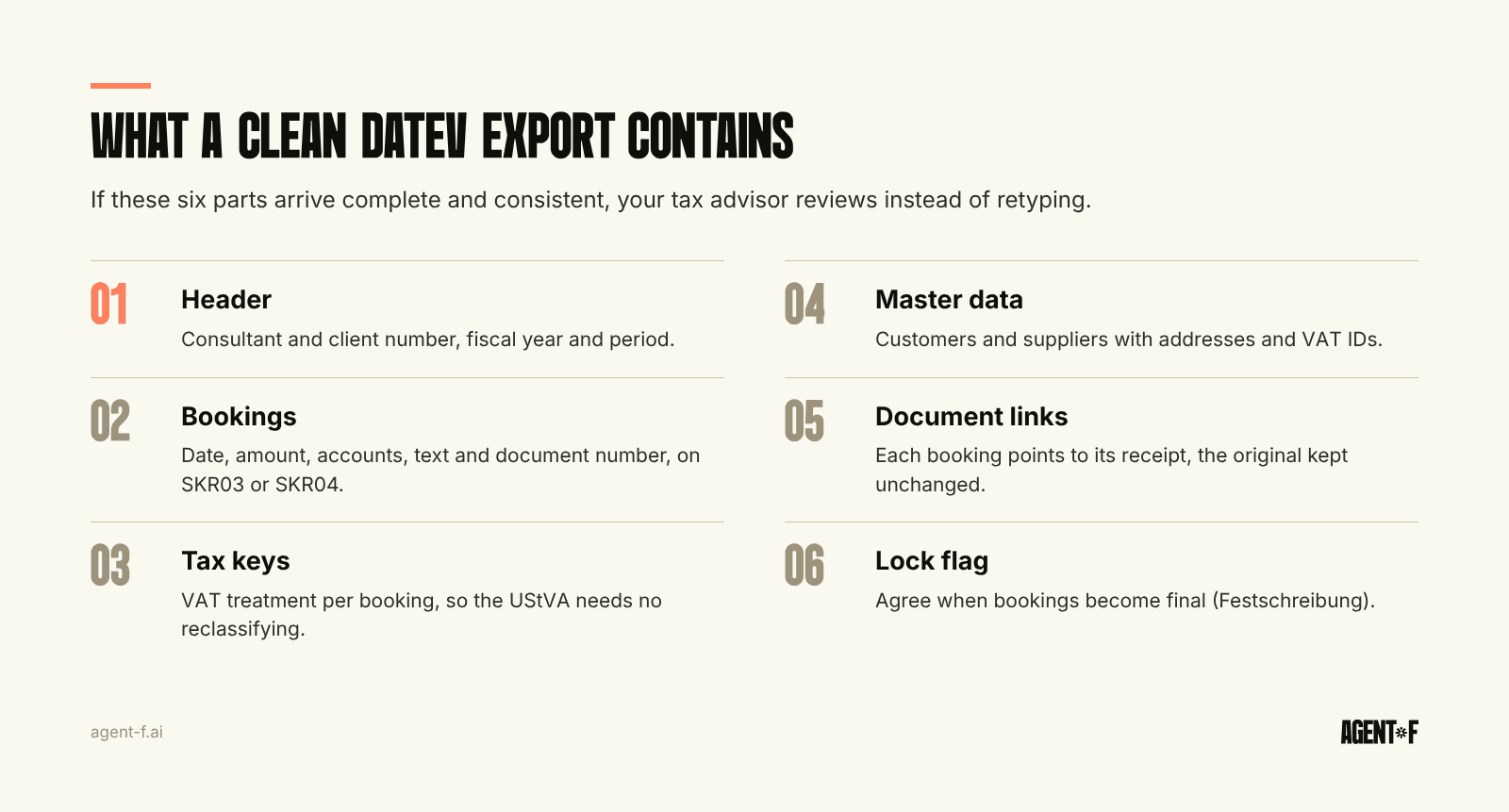
The standard DATEV format is a structured file, usually a booking batch (Buchungsstapel), with a header and one line per booking. A clean export has six parts.
- The header. Consultant number and client number (Berater- und Mandantennummer) that match the advisor's set-up, the fiscal year and the period covered. If these do not match, the import fails or lands in the wrong place.
- The bookings. Date, amount, debit and credit account, booking text and document number for each line, on the chart of accounts the advisor uses, typically SKR03 or SKR04 (the DATEV standard charts of accounts).
- Tax keys. The VAT treatment of each booking, so that the UStVA can be produced from the data without reclassifying. Reverse charge, intra-EU supplies and mixed VAT rates are where errors usually hide.
- Master data. Customer and supplier accounts (Debitoren and Kreditoren) with names, addresses and VAT IDs, so open items can be traced to a business partner.
- Document links. A reference from each booking to its receipt, so the advisor opens the invoice from the booking instead of searching a folder.
- Cost centres, where agreed. If you report by cost centre, the dimension travels with the booking.
Many exports also set a lock flag (Festschreibung) that marks imported bookings as final in DATEV. That matters because, under § 146 Abs. 4 AO (German Fiscal Code), a booking may not be changed in a way that hides its original content. Agree with your advisor whether bookings are locked on import or after their review.
Where does the DATEV export usually break?
Most problems are not technical. They come from data that was never consistent before the export.
- Different charts of accounts. Your system books freight to one account, the advisor's mapping expects another. Every month, someone corrects the same lines.
- Missing or wrong tax keys. An EU supplier invoice booked without reverse charge, or a 7 percent item inside a 19 percent invoice, forces a correction before the UStVA can go out. The deadlines are in advance VAT return in Germany.
- Receipts without bookings, bookings without receipts. If documents travel separately, the advisor has to match them by hand.
- Late corrections. A booking is changed after export. Now your system and DATEV disagree, and nobody knows which version is right.
- Several entities. Each entity has its own client number in DATEV. A group that exports from one tool into several clients needs strict separation, or bookings end up in the wrong company.
- Payouts booked as one amount. A payment provider pays out sales minus fees and refunds in one transfer. Booked as a single receipt, it hides revenue, fees and VAT, and the advisor has to split it again from the provider's report.
- Inconsistent master data. The same supplier exists twice with different account numbers, so open items never balance.
Each of these is fixable once, at the source, rather than every month in the advisor's office. A clean account structure, covered in general ledger structure, prevents most of them.
What about the original receipts?
The export carries the bookings. The receipts are a separate question with legal weight. Under the GoBD (German digital bookkeeping rules), the original document must be kept unchanged for the retention period and must be traceable from the booking. For e-invoices, the original is the XML file, not a printed PDF.
In practice, documents reach the advisor in one of two ways: uploaded to DATEV's document services with a link from the booking, or kept in your own GoBD-compliant archive with the document number in the booking line. Both work, as long as the link between booking and document is unbroken and you know which system holds the original. What to keep and for how long is in archiving invoices under GoBD.
How should the monthly handover run?
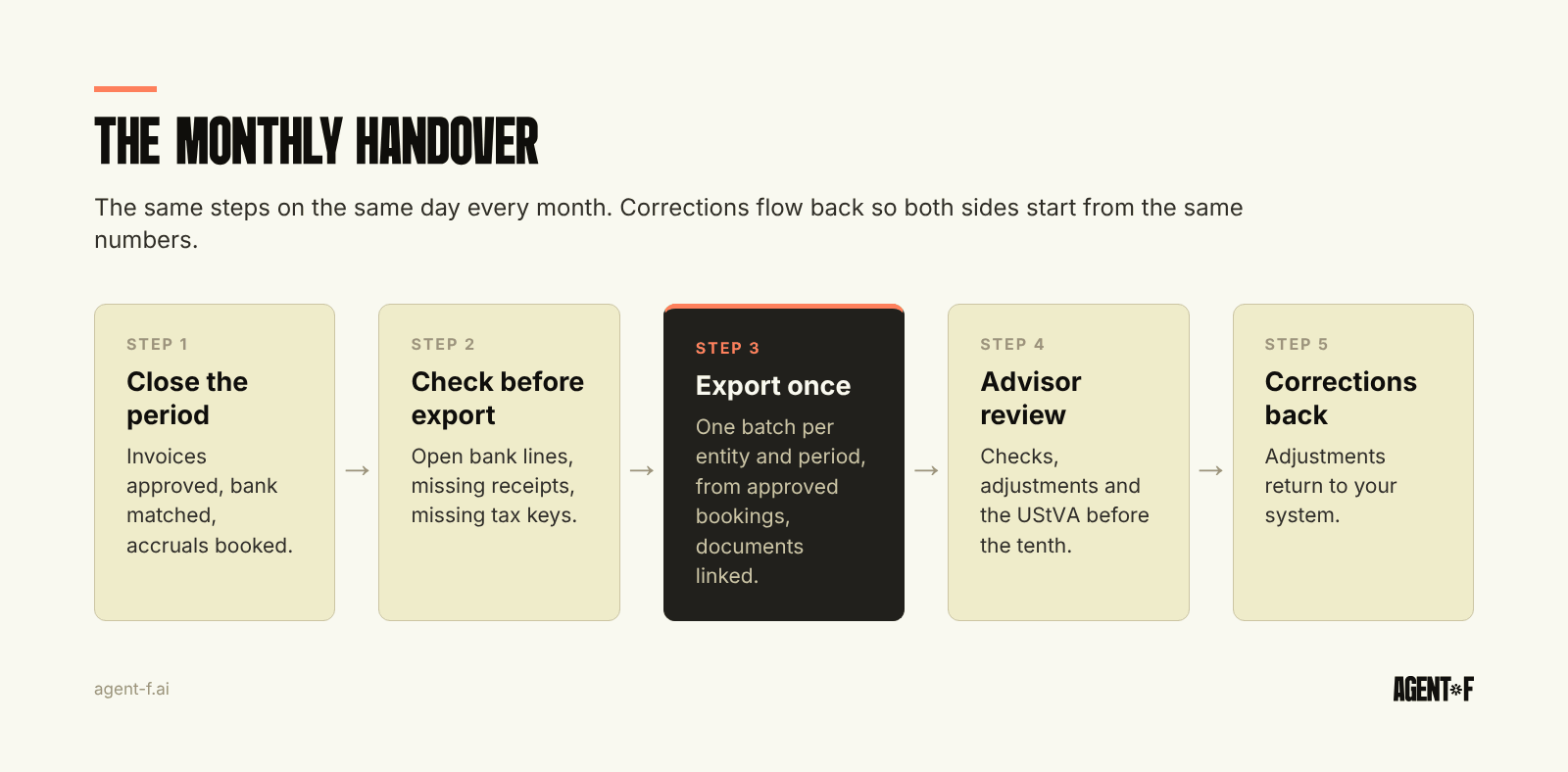
A good handover is boring: the same steps, the same day, every month.
- Close the period in your system. All invoices captured and approved, bank accounts matched, accruals booked. The order of these steps is in the month-end close checklist.
- Check before you export. Unbooked bank lines, bookings without documents, missing tax keys and new master data are listed and resolved.
- Export once, from approved bookings. One batch per entity and period, with documents linked.
- Advisor review. The advisor checks, posts adjustments and prepares the UStVA, ideally a few days before the tenth.
- Corrections back. Adjustments flow back into your system, so next month starts from the same numbers on both sides.
If the advisor has to call you more than once a month about the export, one of these steps is missing.
How does Agent F produce the DATEV export?
In Agent F, the DATEV integration hands over bookings that a person has already approved. There is no separate tool in between.
Invoices, payments and expenses are booked on the SKR04 chart of accounts under HGB and GoBD. For each incoming invoice, self-learning categorisation suggests how it should be booked, with a confidence score. A person approves. Anomaly detection flags bookings that look unusual before they reach your advisor, and AI-assisted reconciliation suggests matches for your bank lines. Every booking, approval and change is recorded in the immutable audit trail, and the period is locked once it is closed, so the export and your ledger stay identical.
Because invoicing, purchasing, expenses, payroll and banking sit on one data model, the export covers the whole company, not one tool's slice of it. For groups, agree with your advisor how each entity maps to its DATEV client before the first export.
Agree the account mapping and the handover day with your advisor once, during onboarding. That period, typically three months, runs in parallel with your current setup, so you and your advisor can compare the results before you switch. Data is hosted in Germany and encrypted with AES-256, with daily backups.
To start, ask your advisor three questions this month: which chart of accounts and account mapping they expect, how they want documents delivered, and on which day they need the data to prepare the UStVA. Then compare their answers with what your last export contained.
Learn how Agent F works, or see it on your own bookings at agent-f.ai/demo.
This article is for general information only and does not constitute tax or legal advice. Parts of it were generated with AI. Please consult your tax advisor or legal counsel before acting on it, and feel free to reach out at team@agent-f.com with any questions or for support.