Updated
ERP implementation: why projects stall and how a module-by-module rollout avoids it
ERP implementations stall for three reasons: the scope grows until nothing can go live, data migration starts before anyone agrees what the target looks like, and the people who know the processes have no time for the project. A module-by-module rollout avoids all three. It puts the general ledger and the tax advisor connection live first, proves it in a real month-end close, and adds the next module only once the first one is stable.
For a 50-person German company, the choice is rarely between a perfect plan and a bad one. It is between a 12-month project that the team keeps deprioritising and a sequence of short steps that each replace a spreadsheet and pay for themselves in the next close.
Why do ERP implementations stall?
Most stalled projects look the same from the inside. The workshops went well. The requirements document has 300 lines. Six months later, the system is half configured, the old tools are still running, and every month the go-live date moves by another month.
The causes are rarely technical:
- Everything at once. Finance, purchasing, warehouse and sales are all supposed to switch on the same day. One department that is not ready holds back all the others.
- Old workarounds rebuilt. Without a clear view of how processes should run, the project copies the current ones, including the Excel steps and email approvals that made the old setup painful. We describe how these pile up in ERP complexity debt.
- Data before design. Master data and history are migrated before the chart of accounts and cost centres are settled, and then migrated again.
- No time from the people who matter. The head of finance is supposed to lead the project next to the month-end close, the annual budget and the auditors. The project loses every time.
In a large company, a consultant team fills the gap, and that team is most of the ERP implementation cost. A 50-person company cannot afford one, and should not need one.
What does a module-by-module rollout look like?
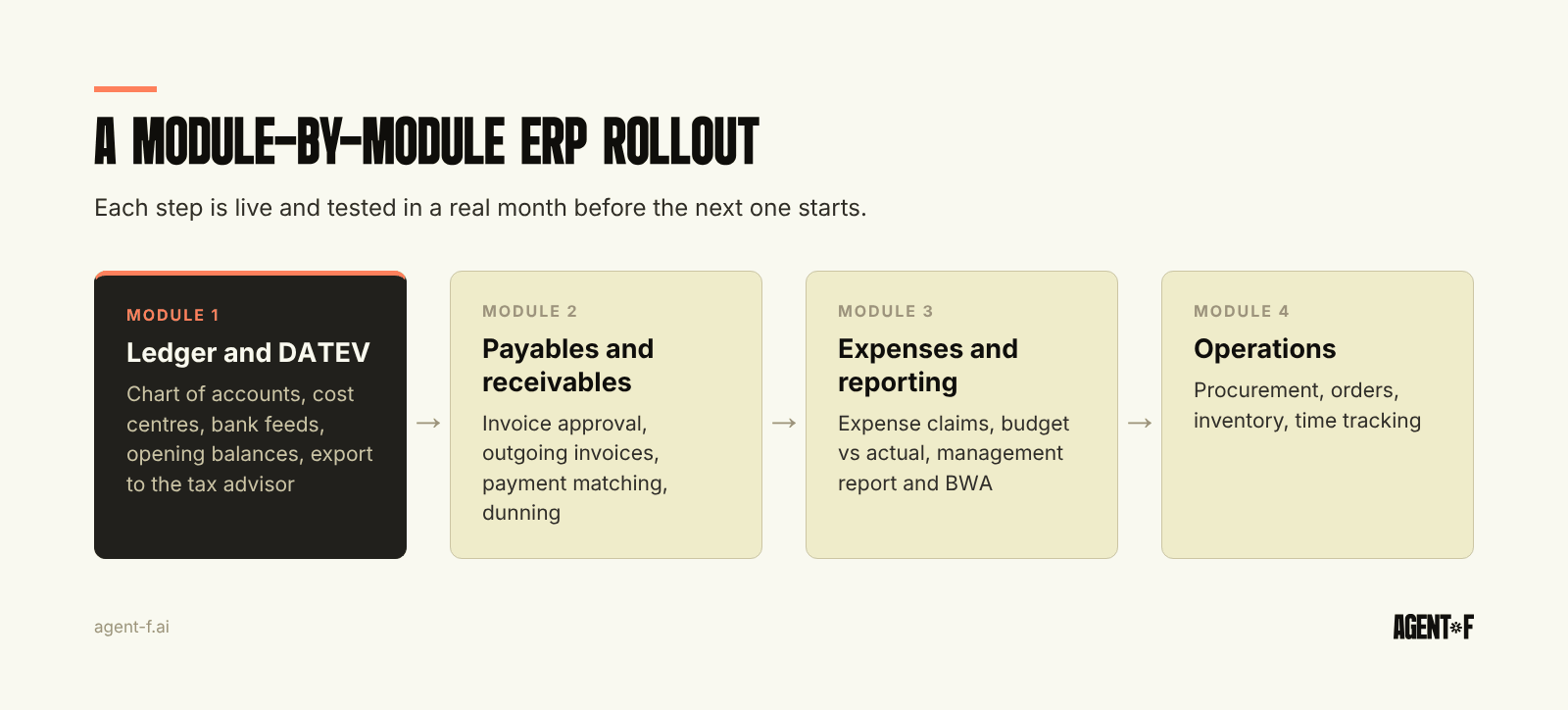
The sequence follows the money. Start where errors cost most and where the tax advisor (Steuerberater) depends on you, then move outwards.
- General ledger and DATEV connection. Chart of accounts (usually SKR04), cost centres, bank feeds, opening balances and the monthly export to your tax advisor. This is the foundation, and the basics have to work 100 percent.
- Payables and receivables. Incoming invoices with approval, outgoing invoices, payment matching and dunning. This is where most manual hours sit.
- Expenses, budgets and reporting. Expense claims, budget vs actual per cost centre, the monthly management report and the BWA (the monthly management report from your tax advisor) from the same data.
- Operations. Procurement, orders, inventory, time tracking. These modules touch more people outside finance, so they come once finance runs cleanly.
Each step has an owner, a date and an acceptance test, and each one is live before the next begins. If step three slips by a month, steps one and two are already saving time. The trade-off is that some interfaces to old tools stay in place for a few months. That is a far smaller risk than a single cutover date that everything depends on.
Who needs to be involved in a 50-person company?
Fewer people than you think, but the right ones and with real time.
- One decision-maker in finance, typically the head of finance or the CFO, who can say yes or no to the chart of accounts, approval rules and reports. Plan for half a day a week during the first module, more around go-live.
- One person per process who does the work today: the accountant who books invoices, the office manager who handles expenses. They test with real cases, not with demo data.
- Your tax advisor, early. Agree the DATEV export format, the account mapping and who books what from day one. A rollout that surprises the tax advisor in month two creates rework for both sides.
What you do not need is a steering committee that meets monthly to discuss the timeline. Short projects need short decisions. Our ERP selection criteria include questions to ask a vendor about who does the configuration work and how much of it lands on your team.
What has to be settled before go-live?
German bookkeeping rules add a few items that generic implementation plans miss.
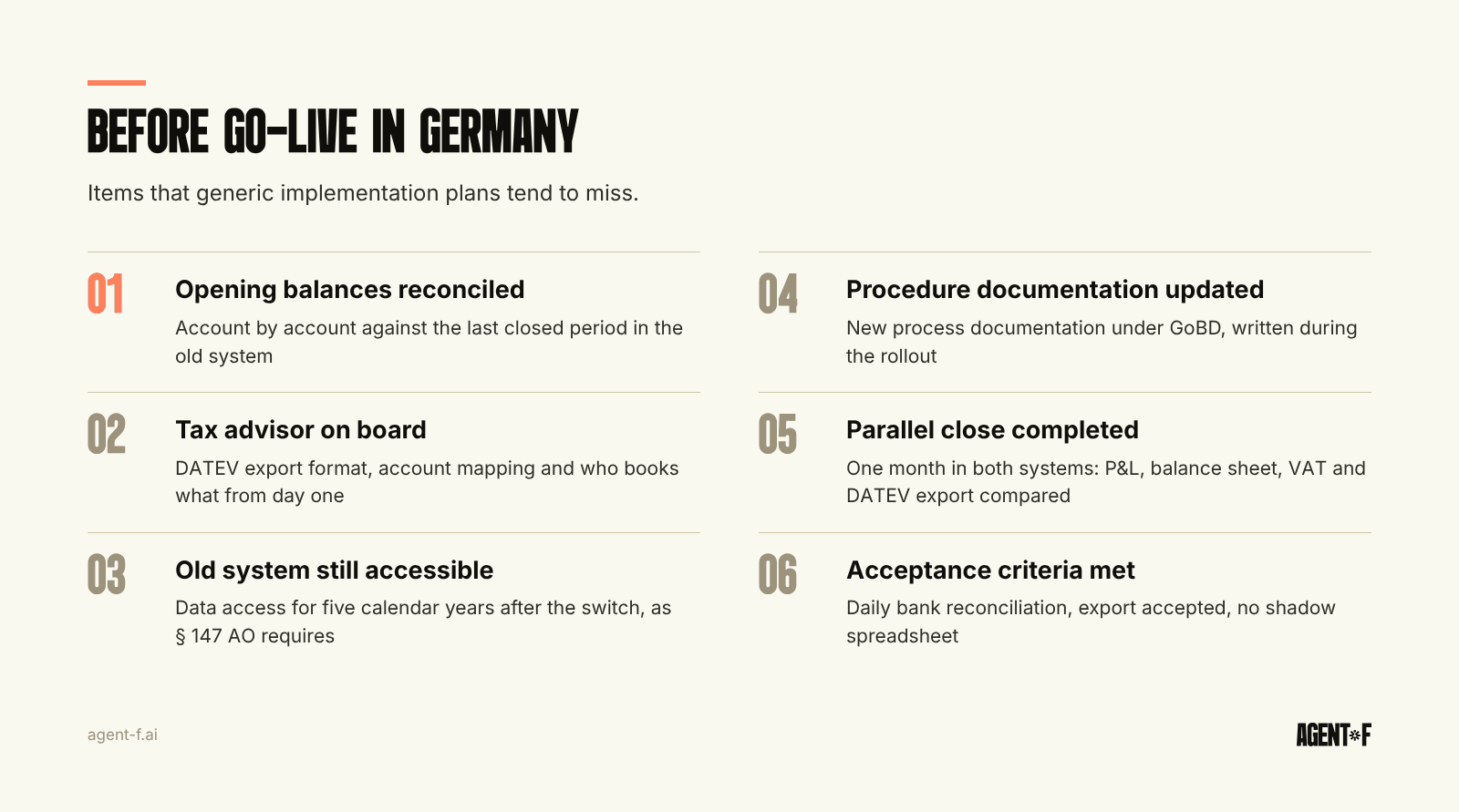
Opening balances and cut-off. Decide whether you start at the beginning of a fiscal year or mid-year, and what history moves into the new system. Opening balances must reconcile to the last closed period in the old system, account by account. The detailed options are in ERP migration and cutover.
Access to the old system. Books and records must be kept for ten years, and accounting vouchers for eight (§ 147 (3) of the Fiscal Code, AO). After a system change, the tax office can still ask for data access in the old system. Only after the fifth calendar year following the change is it enough to keep the data on a machine-readable data carrier (§ 147 (6) AO). Plan for a read-only licence or a qualified archive before you switch off the old tool.
Procedure documentation. The GoBD (German digital bookkeeping rules) expect a written description of how bookkeeping works, the process documentation (Verfahrensdokumentation). A new system means a new version. Write it during the rollout, while the decisions are fresh.
A parallel close. Run at least one month-end close in both systems and compare the results: balance sheet, P&L, VAT figures and the DATEV export. Differences you find now are cheap. Differences your tax advisor finds at year-end are not.
How do you know the pilot worked?
Define it before you start. A module is live when it has run through a full month on real transactions and the finance team trusts its numbers without checking them in the old tool.
Useful acceptance criteria for the first module are concrete: bank accounts reconcile daily, the DATEV export is accepted by the tax advisor without corrections, the monthly close finishes in the planned number of days, and nobody kept a shadow spreadsheet. If one of these fails, fix it before adding the next module. That discipline is what keeps a phased rollout from becoming a long project with more milestones.
How does Agent F implement in weeks rather than months?
Agent F does not start from an industry template. The ERP Factory configures the system from your processes: your chart of accounts, cost centres, approval chains, entities and reports. Before you sign, you see a demo built from your own data, so the first conversation is about your processes, not a generic product.
A typical ERP implementation timeline with Agent F is 4 to 10 weeks, compared with 12 to 18 months for a legacy ERP. During a free onboarding period, typically three months, Agent F runs in parallel with your current tools, and the subscription starts only when the setup is stable. In that period the AI layer learns your booking patterns. Every suggestion carries a confidence score and is approved by a person, and reconciliation accuracy typically passes 90 percent by month three. Teams that complete the move typically shorten the monthly close from 5 to 10 days to 1 to 2.
On the objections we hear most: DATEV stays the channel to your tax advisor, data is hosted in Germany with AES-256 encryption and daily backups, and every change sits in an immutable audit trail under GoBD. Finance, operations and people share one data model, so the later modules extend the first one instead of being integrated with it. The idea behind that is explained in what an AI-native ERP is.
If your system change keeps getting deprioritised, start smaller. Pick the one module where the most manual hours sit, agree the acceptance criteria with your tax advisor, block half a day a week for one decision-maker, and set a parallel close for the end of the first full month.
Learn how Agent F works, or see it on your own processes at agent-f.ai/demo.
This article is for general information only and does not constitute tax or legal advice. Parts of it were generated with AI. Please consult your tax advisor or legal counsel before acting on it, and feel free to reach out at team@agent-f.com with any questions or for support.